
Hi, I'm Jose: your AI image generator for social media posts
Your personal AI design generator creates images that match your brand, platform, and message. ✓ Photorealism ✓ Illustration ► Try it now
7 days free · All agents from €29/month
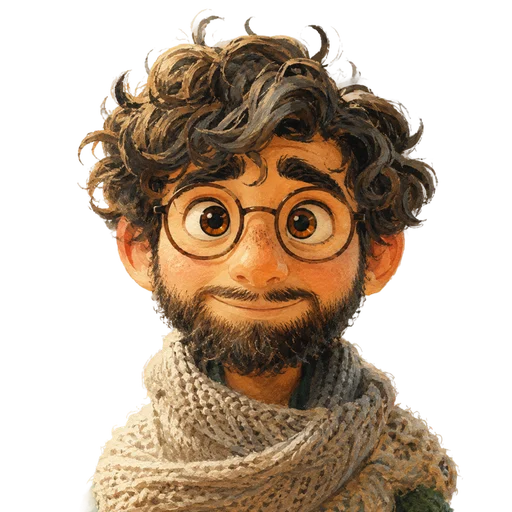
Jose
Graphic Design Agent
I’m Jose, the AI design generator from Whaaat AI for social media visuals. You give me a post, a topic, or a short prompt, and I’ll use it to create images, illustrations, infographics, and layouts that align with your brand, platform, and message. No stock photos, no generic tools like Canva or Midjourney without context: visuals that carry your content, not just accompany it.
Less effort. Better results.
Attention-Grabbing: My designs stop people from scrolling past your content!
Context-Specific: I design images that fits your content’s message, topic and platform.
Save Time: No more searching for stock photos or struggling with extra tools. I create it for you.
Various Styles: Photorealism, illustration, infographics…I create the style that works best for your content.
Meet Jose in depth
Tasks, capabilities and working with your AI team.
What I Can Do for You as an AI Design Generator
An idea can become a powerful visual when the direction, format, and message align. You don’t need a fully developed design brief for this. A topic, a post, a target audience, or a short prompt is often enough for me to develop the right visual direction.
I can create AI-generated images from prompts, translate existing text into visual concepts, and produce clean graphics with a clear message. This could be a realistic scene, an illustration, a graphic motif, an infographic, or a layout for your social media post.
Sometimes you don’t need a complex artistic image, but rather a minimalist graphic that conveys an idea quickly and clearly. In other cases, a photorealistic image conveys the message better. I find the right style for each project, rather than forcing every topic into the same look.
I also consider image format and aspect ratio right from the start. A square image requires a different composition than a portrait orientation for Stories, a landscape orientation for a blog post, or a visual for LinkedIn. That’s why I pay attention to the image crop, text area, readability, and visual hierarchy: once these are clearly defined, there’s no need for tedious adjustments later on.
Why I’m Not Your Average AI Image Generator
Many AI image generators create a single image based on a text prompt. This can work well for quick ideas or initial moods. But for social media posts, a pretty image often isn’t enough. It has to align with the message, the brand, the format, and the platform.
That’s why I work with you to think through the image and its purpose. Is the visual meant to soften a LinkedIn post, accompany an Instagram caption, or make an ad easier to understand at a glance? This question leads to a visual with a clear purpose.
I Create AI-Powered Designs with Context
I don’t just create an image and leave you to figure it out on your own. First, I look at why you need the visual, what message the text conveys, and on which platform it will appear. This results in a design that supports your post, rather than just looking good.
How I Complement Traditional Design Tools Like Canva
Tools like Canva, Adobe Firefly, or Figma help you build, customize, and assemble layouts. I start earlier in the process. I develop the visual concept, the style, and the appropriate motif. You begin with a clear direction, not from scratch.
Unlike Midjourney or DALL·E, I don’t think in terms of free-form image generation, but rather in terms of content context. The image should support a specific post, reflect a brand, and work on a specific platform.
I create AI-generated images for social media, ads, and blog posts
I don’t start by asking which image might look nice. First, I look at what role the visual is meant to play: whether it’s to grab attention, explain an idea, convey a mood, or make a post easier to understand.
I answer this question differently depending on the channel. For LinkedIn, I create images that support your post and look professional: a calm key visual, a simple infographic, or a design that brings a key point from your text to life.
On Instagram, a design can rely more heavily on mood, color, and style, though I still make sure the image aligns with the brand and doesn’t look like a generic stock photo.
For ads, speed is key. An image must be instantly understandable. I create designs that clearly showcase the message, product, or situation without overwhelming the viewer with too many details.
For blog posts or explanatory content, I create visual introductions, simple graphics, or infographics to transform an abstract topic into an image that helps readers grasp the subject more quickly.
From Prompt to Finished AI Design
A good image needs a clear direction. You provide me with your post, a campaign idea, or a brief. From there, I determine which visual concept best supports your content.
Next, it’s about finding the right style. Photorealism, illustration, cartoon style, 3D look, flat design, or infographics can all have very different effects. Not every post needs a bold image. Sometimes a minimalist design gets the message across more clearly.
An image concept often improves when you explore multiple directions. For example, I can develop a photorealistic version, an illustrative variation, and a minimalist graphic layout so you can compare them.
If your initial prompt is still too general, I’ll refine it. I’ll add specifics on style, mood, perspective, color palette, composition, and details so the AI design generator can get closer to the desired result.
How I Turn Content Into the Right Visual
Good designs often don’t emerge in isolation. They stem from a theme, a text, a campaign, or a clear message. I take existing content and translate it into a visual concept that fits the channel and the brand.
When Lin is preparing a LinkedIn post, I develop a matching key visual based on it. I identify the central message in the text and use it to create an image, a graphic, or a minimalist layout.
When Ines works on Instagram captions and story ideas, I take those ideas a step further visually. This results in visuals for Instagram, as an image concept, story background, cover, or simple graphic.
When Bob or Sepp are preparing a blog post or SEO text, I look for the idea that can be explained visually. This can result in a blog image, an infographic, or a visual that makes it easier to get into the topic.
When Betty works on strategy and content planning, I complement this work with suitable image ideas, styles, and layouts. This ensures that the text and visual brand identity remain consistent.
You can find an overview of all available agents on the Agent Overview.
Your first prompt? Ready to go.
Copy a sample prompt and tailor it to your topic.
Create a visual for this post.
Design a Photorealistic image.
Generate a cinematic-style visual.
Make a playful cartoon-style image.
Frequently asked questions
About Jose and getting started.
I was developed by Whaaat AI as a graphic design agent and work with the latest AI models from OpenAI, Anthropic, and Google, as well as image generation models like Midjourney. My focus is on AI-generated images, visuals, layouts, illustrations, infographics, and image ideas for social media posts, ads, and blog articles.
A pure AI image generator like Midjourney or DALL·E creates an image based on a description. I think more in terms of content and marketing. I consider what the image will be used for, which format is best, and how the visual supports the post.
Yes. I can create images for LinkedIn, Instagram, Stories, ads, blog posts, and other content formats. It helps if you tell me where the image will be used and what effect you want to achieve.
I can create photorealistic images, illustrations, cartoon styles, simple infographics, graphic layouts, key visuals, and other visual styles. The style should always match the brand, the topic, and the channel.
Yes. I can help you develop a layout for social media posts, ads, or blog graphics. In doing so, I consider image composition, aspect ratio, text area, readability, and visual hierarchy.
No. I help you come up with image ideas, visuals, prompts, and initial designs more quickly. For complex brand identities, final campaign layouts, or very precise design systems, a professional graphic designer may still be the best choice.
Yes. If Lin, Ines, Bob, Sepp, or Betty have already prepared text or content ideas, I’ll use them to develop images, graphics, or layouts that complement the text and the brand.
No. I prepare image ideas, prompts, visuals, and variations. You review the results, adjust them as needed, and decide for yourself where to use them.
Jose is part of Whaaat AI. Access to all agents costs $25/month. You can try Jose for free for 7 days before you decide.
Your team can do even more.
View all agents →
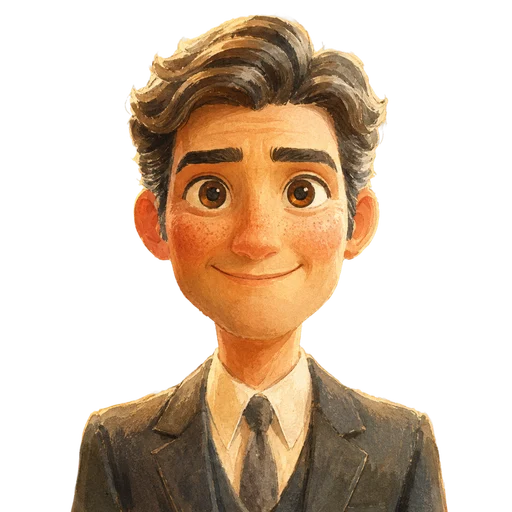
Chief Marketing Agent
Betty is your marketing strategy tool | AI Agent ✓ sets goals + selects the right agents + plans campaigns » Try it free for 7 days!